Microseconds Matter: How Dialing Your Throttle Dead Zone Unlocks Gate-to-Gate Speed
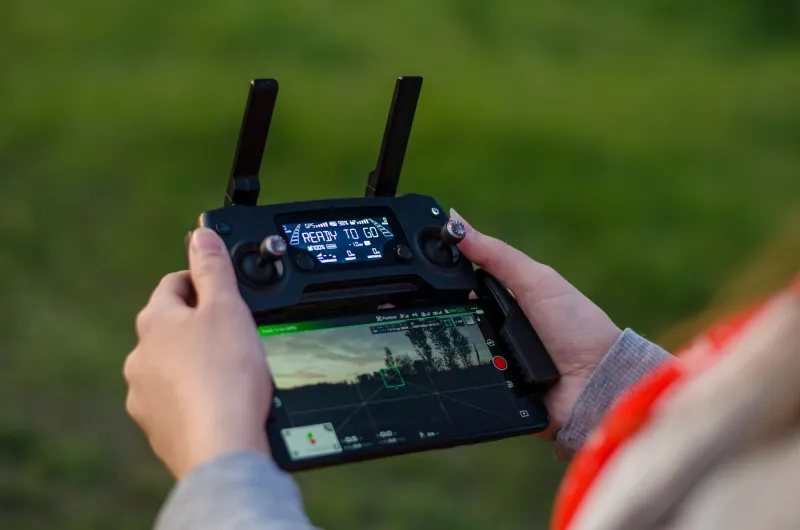
There's a particular kind of frustration that lives in the mid-pack. You've got a clean build, decent props, a solid video feed — and you're still half a second behind the guys up front on every single lap. You tweak your rates. You swap motors. You try a new tune. Nothing sticks. What if the problem isn't horsepower? What if it's a configuration buried so deep in your radio and flight controller that most pilots never even think to look at it?
Welcome to the throttle dead zone rabbit hole. Pull up a chair.
What Is a Throttle Dead Zone, Really?
At its most basic, a dead zone (sometimes called a deadband) is a range of stick movement that produces zero output. On your throttle axis specifically, this means there's a physical window — measured in microseconds of PWM signal — where your stick is moving but your ESCs aren't responding. It sounds like a small thing. It is not a small thing.
Most radios ship with some default dead zone baked in, typically somewhere between 5 and 15 microseconds on either side of center for pitch, roll, and yaw. Throttle is different because it doesn't have a true center point the way the others do — it runs from zero to full. That asymmetry makes misconfiguration way more common and way more consequential.
When your throttle dead zone is too wide, you get a mushy, delayed response at the bottom of the stick travel. Punch out of a gate and there's a perceptible lag before the quad actually commits to the climb. Over a five-gate sequence, that lag compounds. By the time you're exiting gate three, you're already flying a reactive style instead of a predictive one — constantly chasing the course instead of reading it.
What the Telemetry Actually Shows
Elite tuners started paying serious attention to this after blackbox logging became standard in competitive setups. Pull the raw gyro data from a well-tuned quad mid-race and compare it to a stock configuration, and the difference is striking. On a stock throttle curve with a wide dead zone, you'll see micro-hesitations in the throttle channel output — tiny flatlines that don't correspond to what the pilot intended. The pilot's input is continuous. The signal isn't.
One regional-level tuner out of the Pacific Northwest who's worked with several MultiGP Championship-level pilots described it this way: "When I overlay throttle input against actual motor output on a tight technical section, a wide dead zone looks like static on an AM radio. The pilot's doing the right thing, but the message isn't getting through clean."
The fix isn't always dramatic. In some cases, shaving just 8 microseconds off the dead zone floor transformed the feel of a quad through technical sections — not because the motors were suddenly more powerful, but because the pilot's inputs were finally landing with precision.
The Throttle Curve Is a Different Problem
Dead zone and throttle curve are related but distinct, and conflating them is one of the most common mistakes newer pilots make when trying to dial in their feel.
The throttle curve (or expo) controls how your output scales across the range of stick travel. A linear curve means every millimeter of stick movement produces the same proportional change in output. An exponential curve softens the response near the bottom and sharpens it toward the top — or vice versa, depending on how you set it.
The interaction between dead zone and curve is where things get interesting. A tight dead zone with aggressive expo can make a quad feel twitchy and hard to modulate at low throttle — great for wide-open tracks, punishing on technical indoor circuits. A wider dead zone with a more linear curve tends to feel planted and predictable but slow to respond when you need to punch.
Top tuners treat these as a system, not individual settings. They'll set the dead zone first — getting it as tight as the hardware will allow without introducing noise — then shape the curve around the pilot's specific flying style and the demands of the track format.
Practical Starting Points You Can Actually Use
You don't need a $400 radio or specialized hardware to start experimenting with this. Most modern radios — Radiomaster, FrSky, ELRS-based systems — give you direct access to dead zone and curve settings in the mixer or output configuration screens.
Here's a baseline framework that several competitive tuners have validated across different hardware setups:
Throttle Dead Zone: Start at 5 microseconds. If you're seeing noise in your throttle channel on blackbox review, bump to 8. Avoid going above 12 unless your radio hardware genuinely demands it.
Throttle Curve: For technical indoor or MultiGP-style courses, try a slight positive expo (around +15 to +20) to soften the bottom third of travel. For outdoor speed tracks with long straights, flatten it out closer to linear and let your dead zone tuning do the heavy lifting.
Betaflight Throttle Mid / Throttle Expo: If you're running Betaflight, don't neglect the throttle mid setting. Setting throttle mid to 0.5 with a slight expo curve in the 0.1–0.2 range gives most pilots a noticeable improvement in control feel through gates without touching their radio configuration at all.
Always verify changes in blackbox before flying. Plot your throttle input channel against motor output and look for flatlines or discontinuities. If you see them, your dead zone is still too wide.
The Mental Game Behind the Technical Tweak
Here's the part that doesn't show up in configuration guides: when your throttle response matches your intent precisely, your cognitive load drops. You stop compensating for lag. You stop over-correcting after gates. Your lines get cleaner not because you flew differently, but because your brain stopped working around a mechanical limitation.
Several pilots who've gone through serious dead zone tuning sessions describe the result as the quad finally feeling like an extension of thought rather than a machine they're wrestling. That's not poetic exaggeration — it's the practical outcome of eliminating input latency at the most fundamental level of the control chain.
In gate-to-gate combat, where tenths of a second separate the podium from the parking lot, that feeling isn't just nice to have. It's the whole game.
Where to Start Tonight
Pull up your radio software. Find your throttle channel configuration. Check your dead zone value. If it's sitting at the factory default and you've never touched it, there's a very real chance you've been leaving speed on the table every single race.
Tighten it up. Log a pack. Compare the data. Adjust the curve. Fly it again.
The milliseconds you've been chasing in motor upgrades might have been hiding in your mixer settings all along.